
YTT Advanced

Unlock added power with advanced modules designed to enhance your fundraising.
AI Audio Verification
AI-Powered Donor Verification for Accuracy and Security
Utilise advanced AI and voice/audio authentication in the Donor First app to verify donors. Ensure only genuine, compliant sign-ups are approved, reducing fraud risk and improving the reliability of donor data.


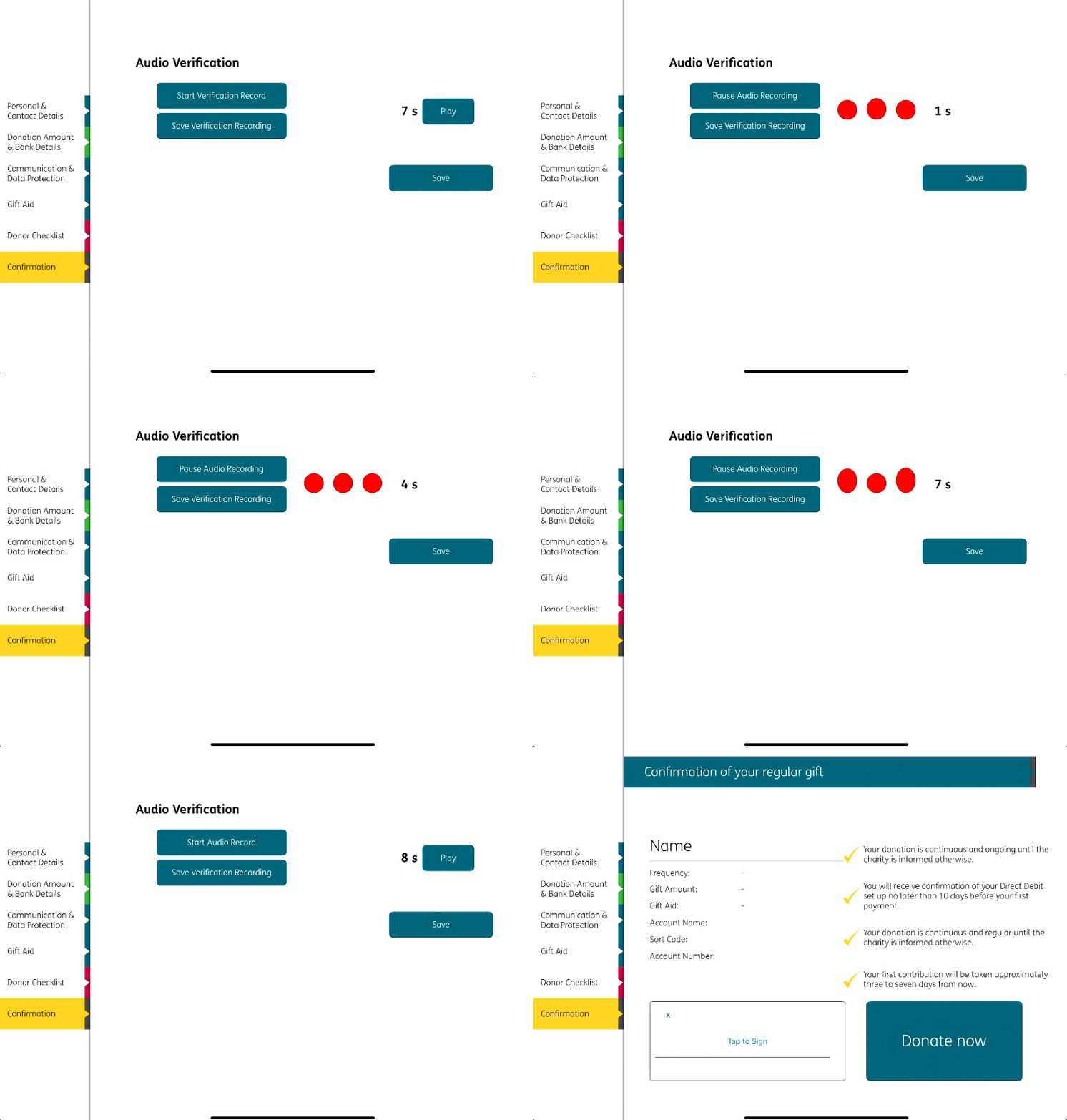
Donors are prompted to record themselves reading a predetermined script directly within the app
The AI system analyses each recording in real time, assessing clarity, tone, and accuracy against predefined criteria
Based on this analysis, the system can automatically approve or reject the verification, minimising manual checks
All recordings are securely stored for audit and compliance purposes
The process is quick, simple, and integrated seamlessly into the donor journey
This feature streamlines the verification process, strengthens donor authentication, and provides a scalable solution for high-volume campaigns.
Session Management
Streamlined BA Session Management for Real-Time Oversight
Enable users to log shifts directly through the Donor First app, with live data instantly synced to the Fundraising Portal. Managers gain full visibility of hours worked across campaigns, ensuring accurate tracking, improved productivity, and smarter performance management.

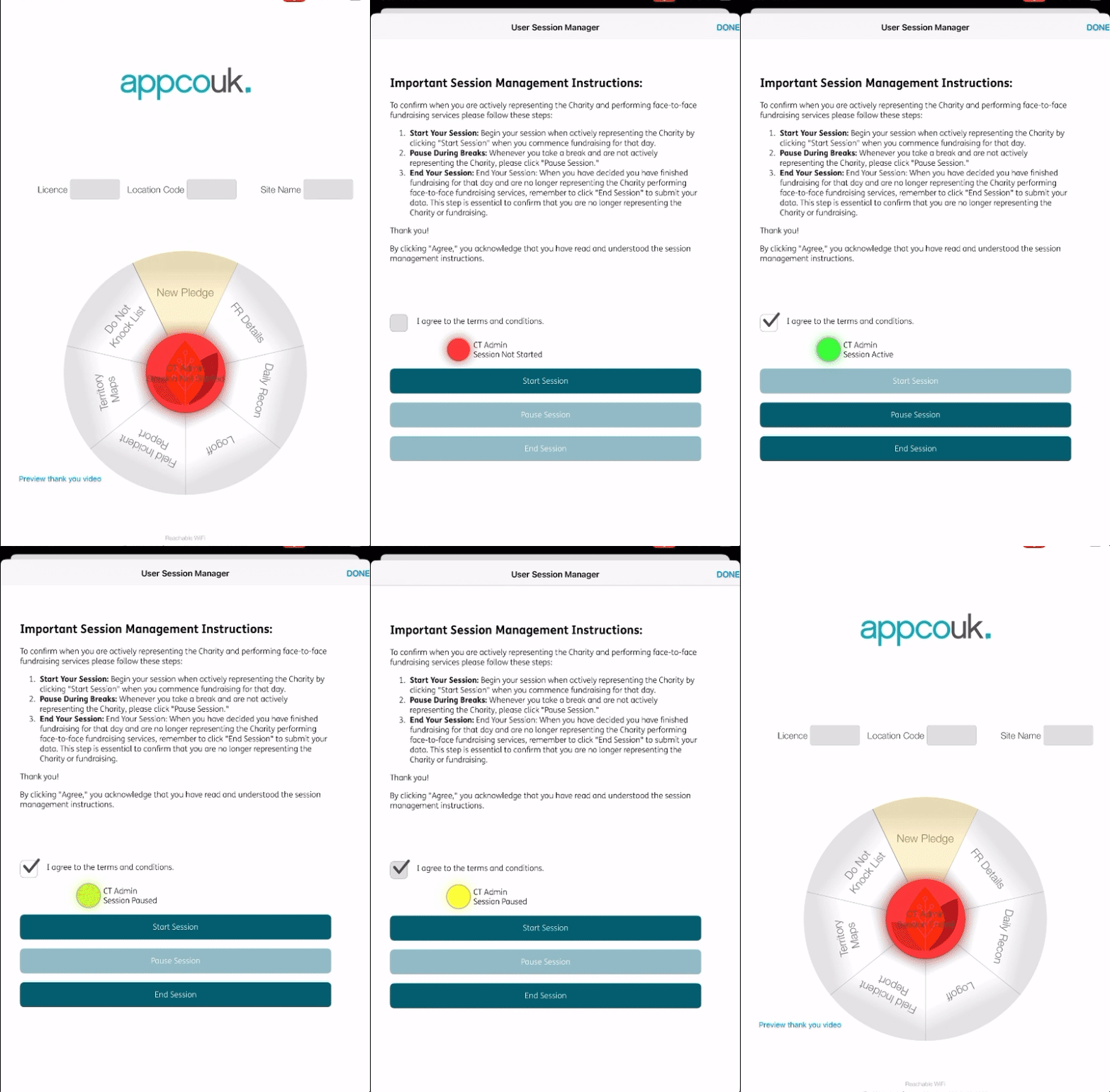
Instant Updates
Access up-to-date hour logs as they are recorded.
Custom Setup
Capture photos of on site branding
Campaign-Specific Data
Track hours for each individual campaign.
Performance Insights
Analyse time spent to improve productivity.
Compliance
Ensure BAs meet work-hour regulations.
Geo Location Management
Geo-Restricted App Access for Compliance and Control
Set location-based restrictions in the Donor First app to ensure usage only within approved areas. Define preferred radii, block access outside zones, and manage overrides through the Fundraising Portal, maintaining compliance with charity guidelines while giving managers full control.
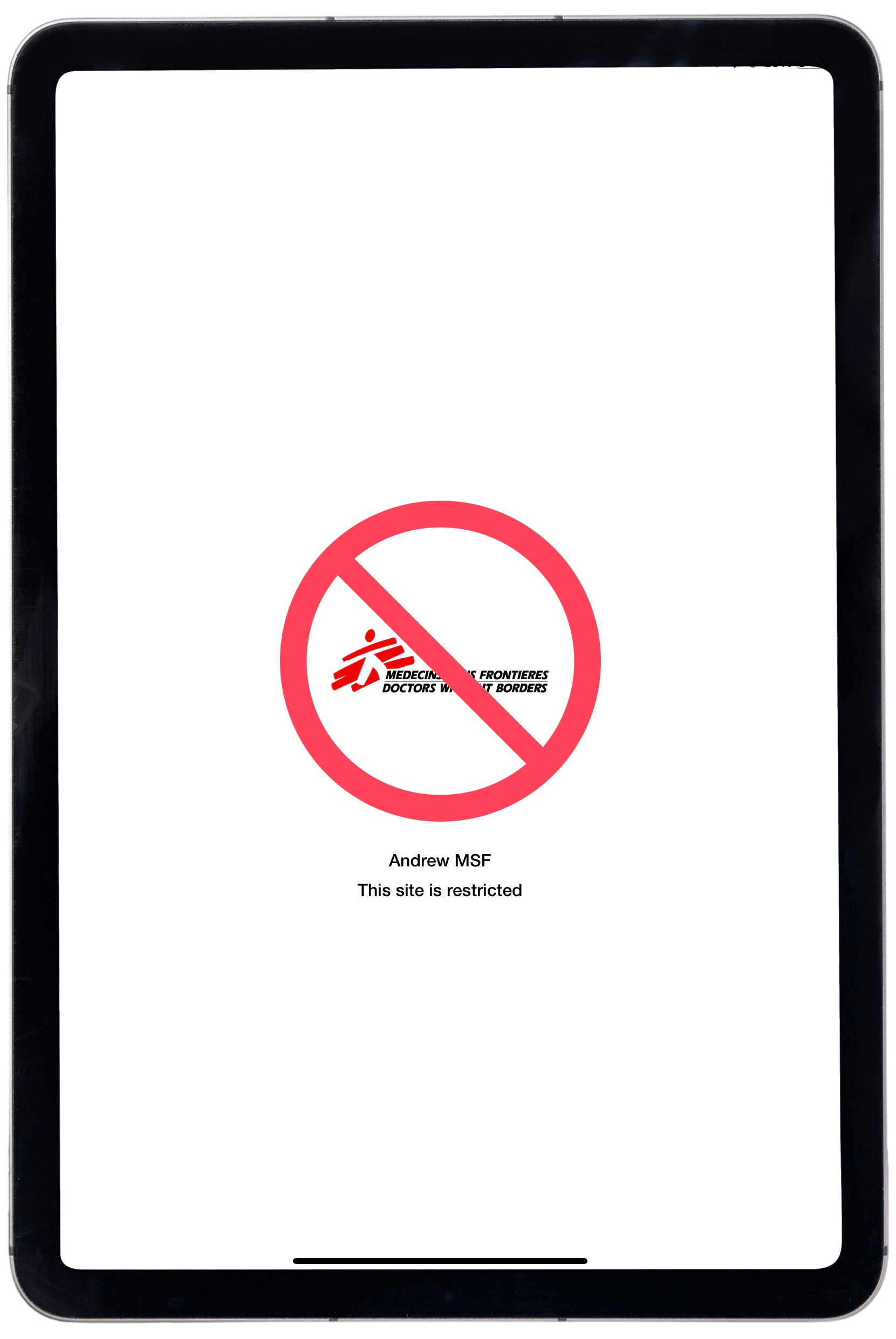
GPS Site Fencing
Defines and enforces designated fundraising zones, preventing activities from occurring outside of authorised locations.
iPad Tracking
Captures precise geolocation data of each donor sign-up, ensuring that all activity is verified and accurately logged in real-time.
On-Site Activity Verification
Confirms that fundraising occurs at the correct site, providing transparency and accountability.
Management Override
Allow users to proceed with randomised override codes
These features work together to streamline site management, protect data integrity, and ensure that fundraising is conducted within the approved boundaries, all while simplifying reporting and oversight.
Interactive Map
Interactive Mapping for Fundraising Insights
Explore detailed pledge data with an interactive map that visualises fundraising performance by location. Gain valuable insights into regional success, helping teams identify opportunities and optimise future campaigns.
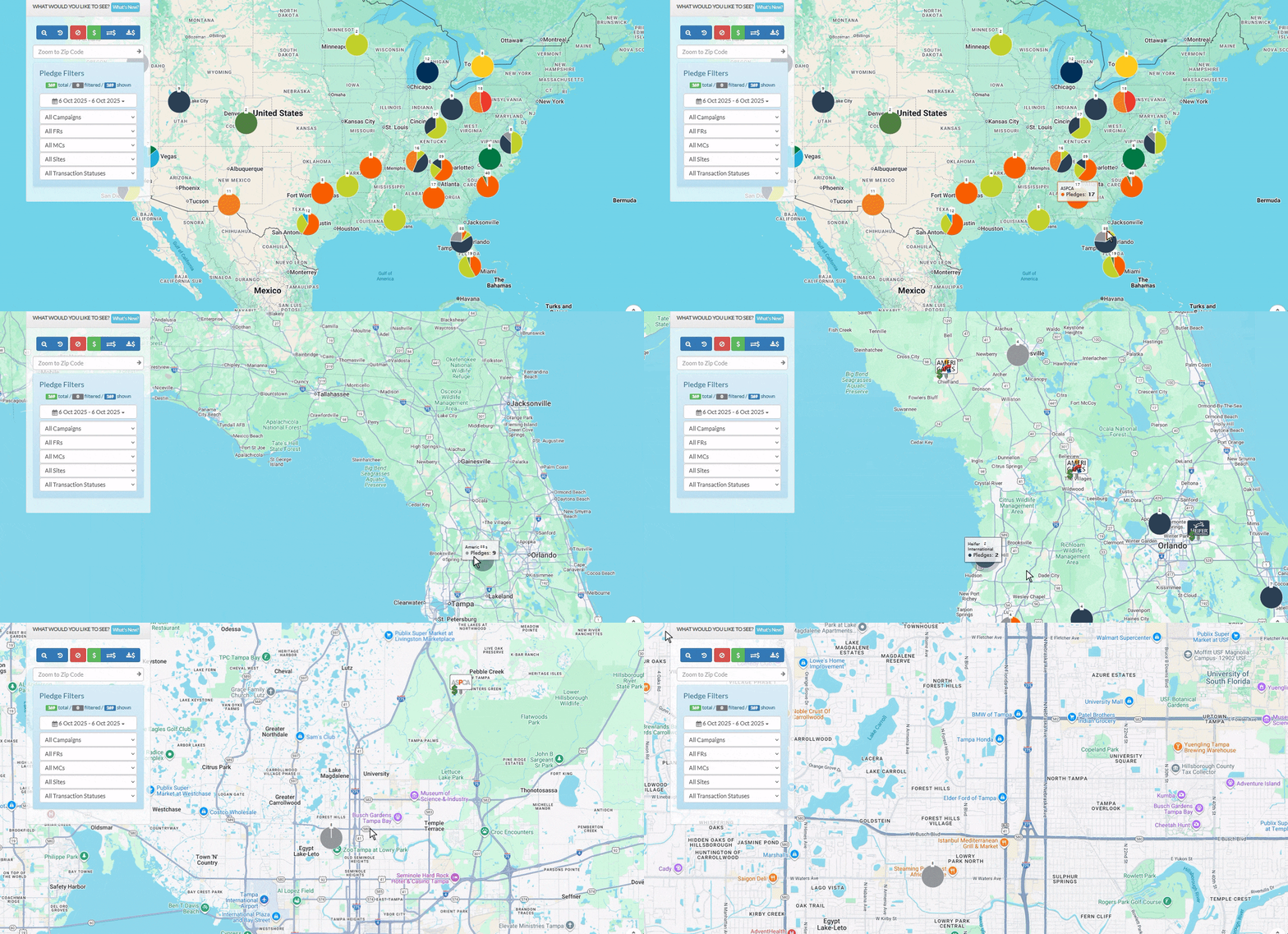
Interactive Navigation
Easily explore different locations on the map.
Pledge Analysis
View and analyse successful pledges based on geographic data.
Location-Based Insights
Identify trends and patterns in fundraising success by region.
Real-Time Data
Access up-to-date information on pledge outcomes.
Field Training
Customised Quiz Management for Confident, Brand-Ready BAs
Create and assign tailored quizzes through the Fundraising Portal to ensure BAs are fully prepared and confident in delivering branded fundraising. Reinforce campaign goals and maintain branding consistency across every team.
Customisable Quizzes
Design quizzes tailored to specific campaigns or branding requirements
Skill Assessment
Test BAs on key knowledge areas, ensuring they are equipped with the necessary skills for success.
Engagement and Readiness
Boost BA confidence by ensuring they are well-versed in brand messaging and fundraising techniques.
Instant Feedback
Provide immediate results and guidance to enhance learning and performance
Field Communications
Instant, Targeted Communication Between Management and Fundraisers
Send tailored messages directly from the Fundraising Portal to the Donor First app with full HTML formatting options. Deliver clear, customised communications that keep every fundraiser informed and aligned in real time.
Real-Time Messaging
Quickly send updates and instructions to fundraisers in the field.
Targeted Communication
Customise messages by campaign, team, or individual fundraiser for precise communication.
Field Coordination
Ensure fundraisers are aligned with on-the-ground activities through location-specific instructions.
Performance Alerts
Send timely notifications to keep fundraisers aware of progress and goals.
Instant Feedback
Allow management to receive immediate feedback from fundraisers for quicker decision-making.
Message Customisation
Create fully customisable HTML messages.
Field Incident Management
Efficient Field Incident Reporting and Management
Users can submit detailed incident reports with images directly through the Donor First app, ensuring swift office review and timely support. Management can review, amend, and action reports via the Fundraising Portal, protecting BAs and maintaining safety and accountability in the field.
Incident Submission
Report field incidents via the app.
Management Oversight
Review and sign off incidents in the portal.
Amendments and Actions
Make changes and take further action as needed.
Real-Time Support
Provide immediate assistance to BAs.
Centralised Tracking
Track all incidents in one place.
Site Booking Management
Seamless Site Booking Management for Field Teams
Empower BAs and managers to book pre-approved fundraising sites directly through the Donor First app or Fundraising Portal. With real-time access to available locations and instant approvals, teams can plan and execute campaigns efficiently, eliminating delays and ensuring smooth, well-organised field operations.
Multiple Submission Channels
Submit site requests via the Donor First app or the Fundraising Portal.
Approval Workflow
Requests are reviewed and approved before moving forward.
Booking and Assignment
Approved requests can be booked or assigned as needed for seamless coordination.
Centralised Tracking
Monitor the status of all site requests in one location for easy management.